# Scoop (recommended)
scoop install restic
# Or download the .exe from:# github.com/restic/restic/releases
Verify with restic version - you should see a version number like restic 0.17.x.
2Connect to your vault
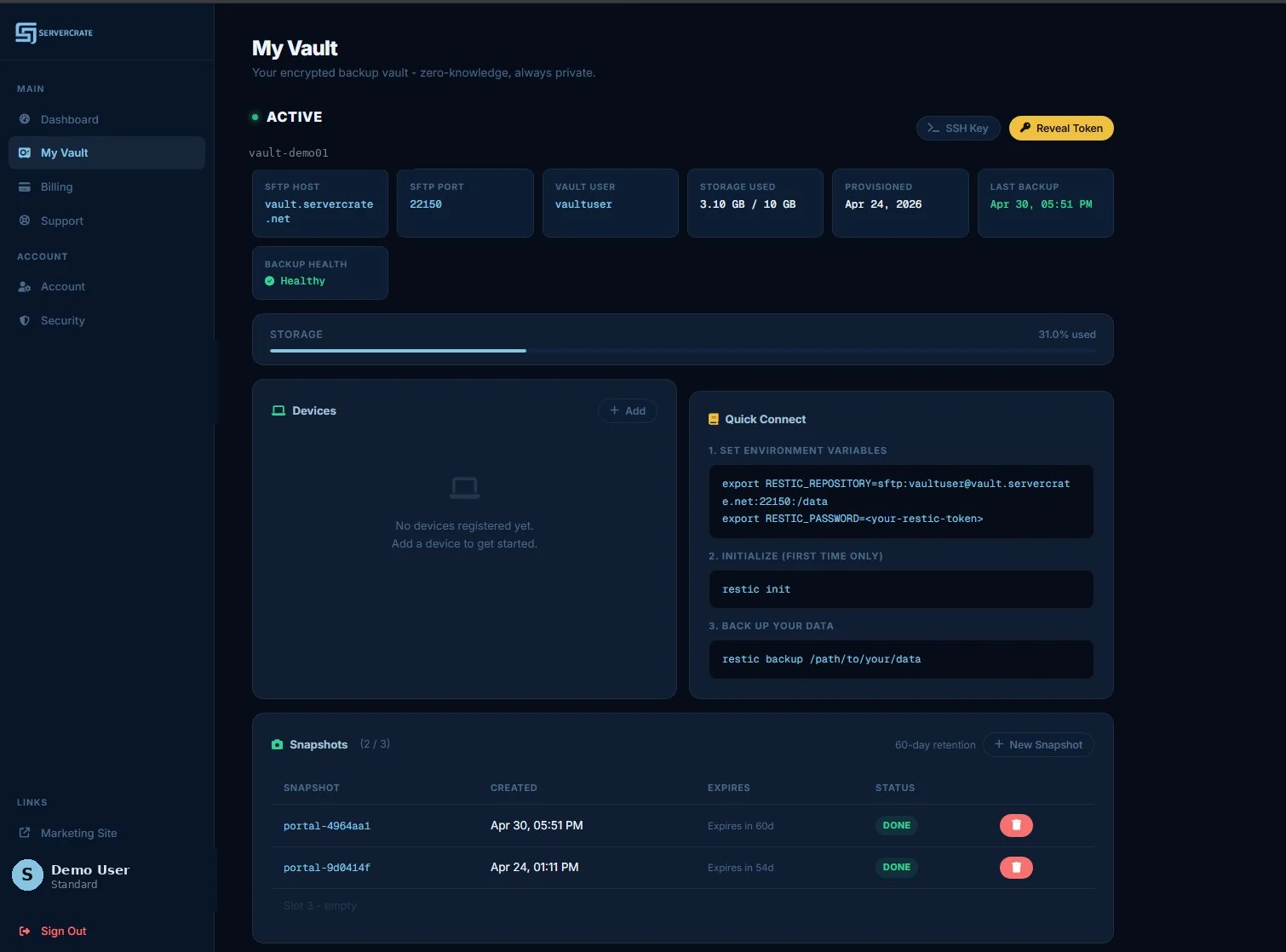
Get your vault URL and token from the Vault page. Then set these environment variables:
The Vault page in the portal has everything you need: the REST repository URL, vault user, and the exact export lines to paste into your shell.
# Replace YOUR_TOKEN and the vault hostname with values from your portal
export RESTIC_REPOSITORY=rest:https://vaultuser:YOUR_TOKEN@a1b2c3d4.vault.servercrate.net/
export RESTIC_PASSWORD=YOUR_ENCRYPTION_PASSWORD
Persist these by adding them to ~/.bashrc, your shell profile, or a secure .env file. Never commit them to git.
3Initialize the repository
Run this once to initialize your encrypted Restic repository on the ServerCrate vault.
restic init
You will be asked for a repository password. This encrypts your backup data before it leaves your machine. ServerCrate never sees it. Store it in a password manager. If you lose it, your backups are unrecoverable. That is the tradeoff of real zero-knowledge encryption.
4Run your first backup
Back up any directory. After the first run, only changed data uploads on future backups.
# Back up your home directory
restic backup ~/
# Back up multiple paths
restic backup /home /etc /var/www
# Exclude folders you don't need
restic backup ~/ --exclude ~/.cache --exclude ~/Downloads
# Verify your snapshots
restic snapshots
5Schedule automatic backups
Create a script and run it nightly with cron. This is how backups stop being "I'll do it later" and start actually existing.
# 1. Create the backup script
cat > /usr/local/bin/sc-backup.sh << 'EOF'
#!/bin/bash
export RESTIC_REPOSITORY=rest:https://vaultuser:YOUR_TOKEN@a1b2c3d4.vault.servercrate.net/
export RESTIC_PASSWORD=YOUR_ENCRYPTION_PASSWORD
restic backup /home /etc --exclude ~/.cache
restic forget --keep-daily 7 --keep-weekly 4 --prune
EOF
chmod +x /usr/local/bin/sc-backup.sh
# 2. Add to cron - runs at 2am every night
echo "0 2 * * * root /usr/local/bin/sc-backup.sh >> /var/log/sc-backup.log 2>&1" \
| sudo tee /etc/cron.d/sc-backup
On paid plans, ServerCrate can alert you if backups stop running as expected, so a broken schedule does not quietly stay broken forever.
6Restore files
No restore fees. Restore everything, a specific snapshot, or a single file.
# List snapshots
restic snapshots
# Restore latest backup to /restore
restic restore latest --target /restore
# Restore a specific snapshot (use ID from restic snapshots)
restic restore a2f4e91c --target /restore
# Restore a single file
restic restore latest --target /tmp/restore --include /home/user/document.pdf
# Browse your backup like a filesystem (Linux/macOS)
restic mount /mnt/backup
+Automation (advanced)
Want unattended encrypted offsite backups? Use cron or a systemd timer. Keep it simple and production-safe.
Helper scripts available: Our open-source restic-toolkit wraps backup, prune, and healthcheck commands with sane defaults plus drop-in systemd unit templates.
Use the setup, then pick the fit.
This page shows the commands. These pages show the buyer fit, use case, and competitive angle.